
Crocal also offers multiple predefined positions for the language switcher, in the top bar of our Theme and in the Menu Elements, just beside the menu. Additionally, if you need to adjust a custom language switcher, there is a specific reference in here.
Conclusion
Undoubtedly, the Euthemians (Greatives) team recommends using WPML with Crocal if you want to make your WP site run multilingual as easily and securely as possible.
How to set and translate the main features of Crocal
- Using translation management. Read more details
- Translation Management & Features. Read more details
- Translating URL slugs. Read more details
How to translate strings coming from Crocal
- How to scan the strings of Crocal. Read more details
- How to translate the strings of Crocal. Read more details
How to translate your admin texts via WPML
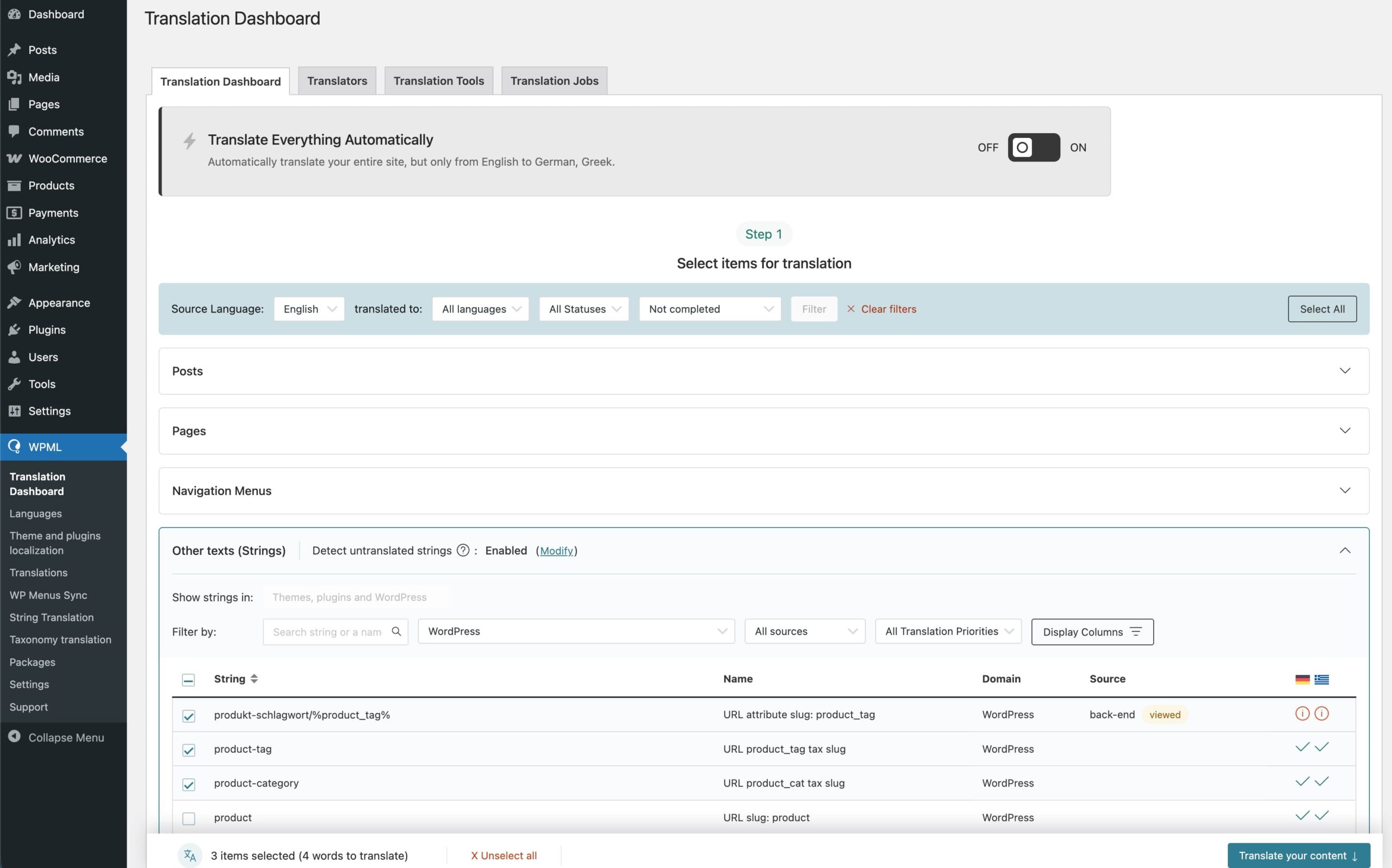
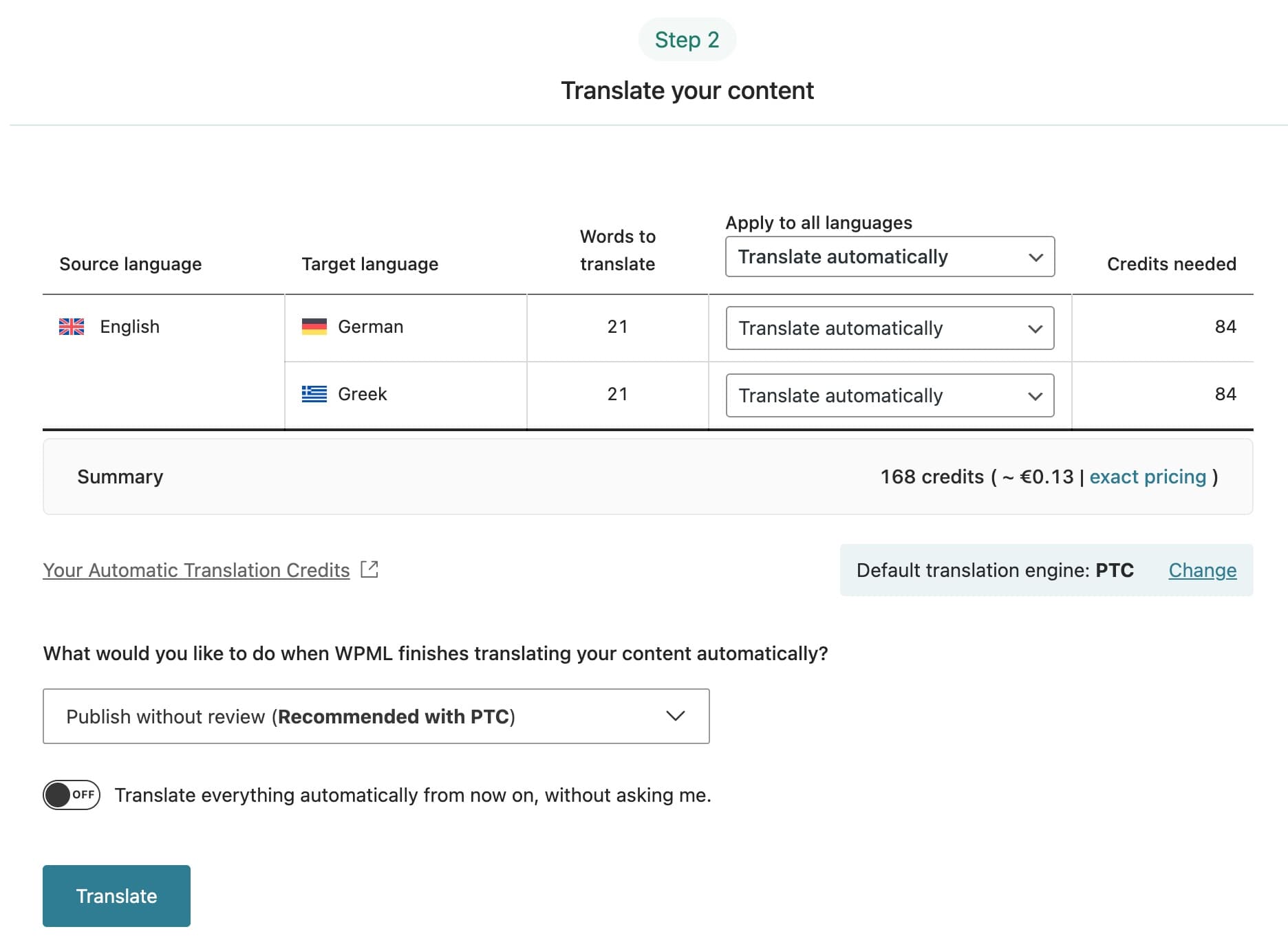
You should now go to WPML > Translation Dashboard (this is where all content is translated now), then to the Other texts (Strings) section. From there, you can filter to find the strings from a theme, select as many as you want and send them to translation in bulk. This is much easier than String Translation, which requires adding the translation string by string. The recommended translation method is PTC, WPML’s new AI, which produces the most accurate results and requires no post-review effort.
How to translate the strings without WPML
Option 1:
First of all, we recommend using the PO Edit to edit and/or translate the static strings of Crocal.
When you install it, follow the steps below:
- Go to /crocal/languages/ folder, open the .pot file and generate the po/mo files in your language.
- Translate the strings in your language into the “Translation” column.
- Click to save the file when you finish the translation. Then one .mo file will be created in the same directory.
- Upload these 2 files in /crocal/languages/ folder.
- Finally, go to Settings > General, then at the bottom of the page, select your preferred language.
Option 2:
An alternative is to use the Loco Translate plugin. You can easily locate the theme strings and edit them as you wish. This great plugin will regenerate the PO/MO files with your changes.
Interested in translating a language for Crocal?
We would be grateful if you could help us translate Crocal into multiple languages. If your language isn’t included in Crocal and you translate it yourself, we’d really appreciate it if you could send it to us. In addition, we will include it in the next Crocal update, so you won’t need to re-upload it. Finally, this will also help many other Crocal users.